
Plan the app before you ask AI to code
AI can make a screen fast. The hard part comes later. New features can clash with old ones. A new AI chat may not know why you made past choices.
A clear plan helps. First, map the app. Add notes for each feature. Turn the plan into small tasks. Then give the coding agent one task at a time.
CodeSpring keeps this work in one place. It has a mind map, product plans, a Kanban task board and tools that connect to coding agents. Business and Ultra customers can also use the CodeSpring coding agent during early access.
- Map the app and its features
- Write notes for each feature
- Make a PRD for the coding agent
- Turn the plan into small Kanban tasks
- Use the CodeSpring coding agent or connect your own
- Keep the app plan close to the code work
1. Map the app before AI writes code
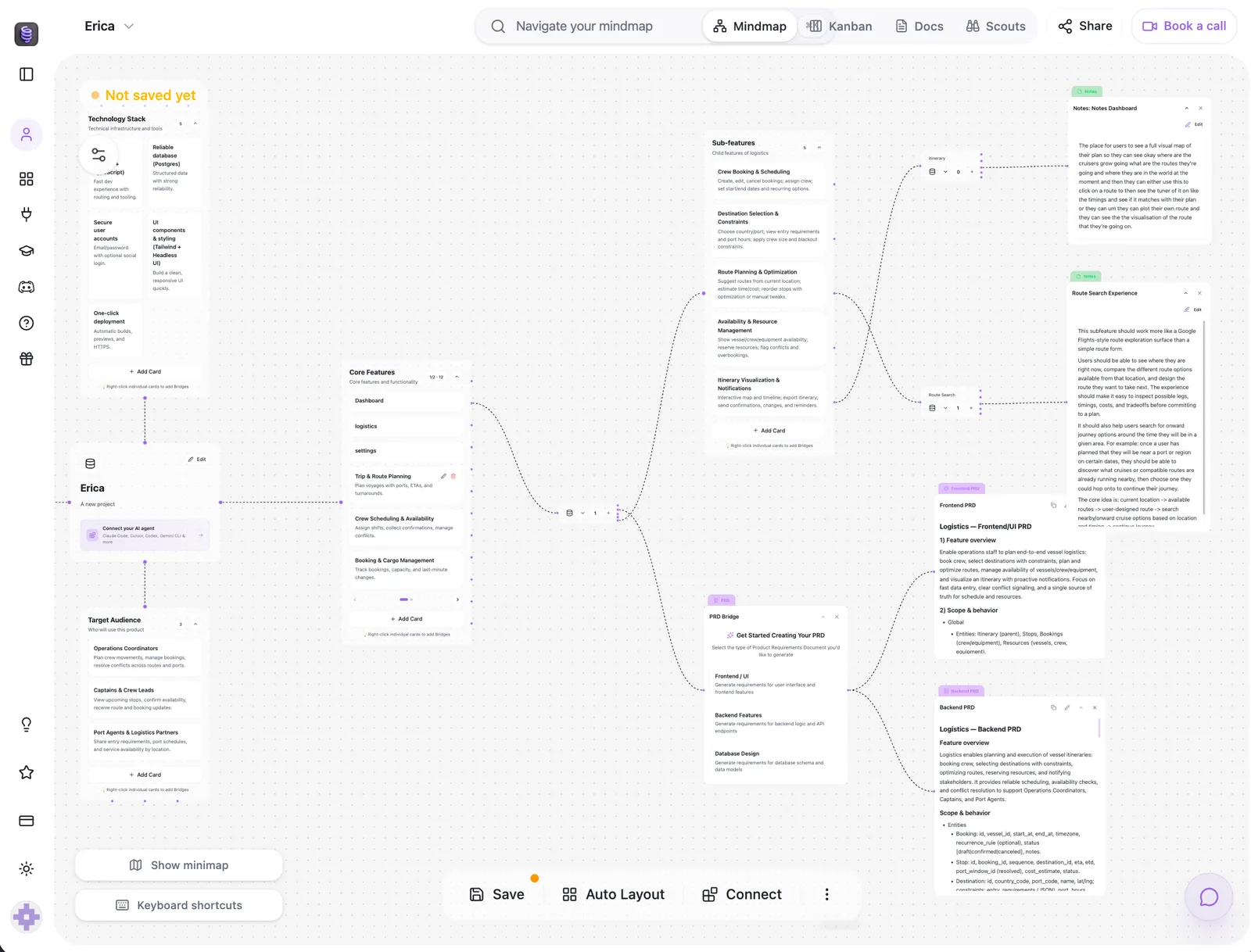
Start with the main parts of your app. In the video, a Calendly-style app is split into core features. Notes show how each feature should work.
This helps you spot gaps early. You can check booking rules, free times, alerts and account settings before the agent makes the database or writes lots of code.
The mind map is more than a picture. CodeSpring uses it when it makes plans and tasks later.
2. Turn your notes into a clear build plan
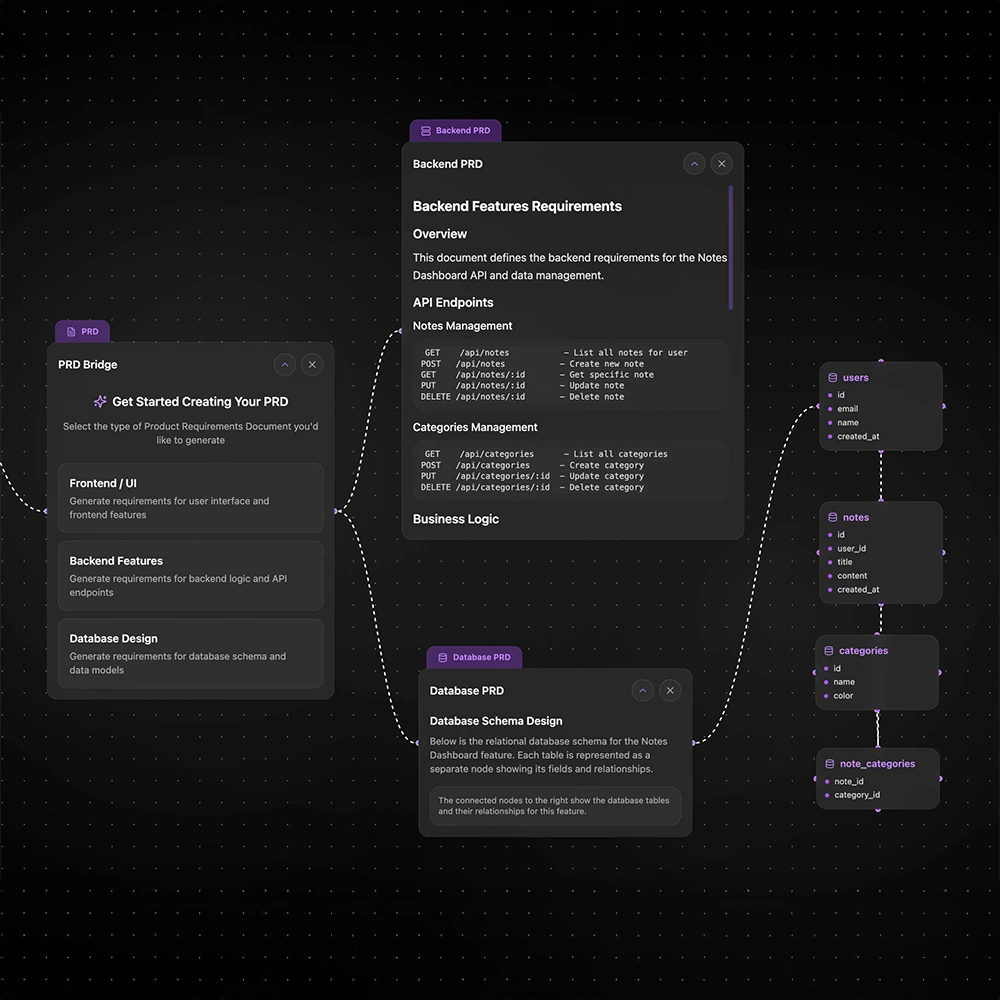
CodeSpring can turn your feature notes into a product requirements document, or PRD. A PRD tells the coding agent what to build. It lists the rules, links and goals for the feature.
CodeSpring uses notes from that feature and the rest of the app plan. The agent gets a clear job instead of one short prompt with missing facts.
Read the PRD before the build starts. It is much easier to fix a plan than to fix the wrong code.
3. Turn the plan into small Kanban tasks
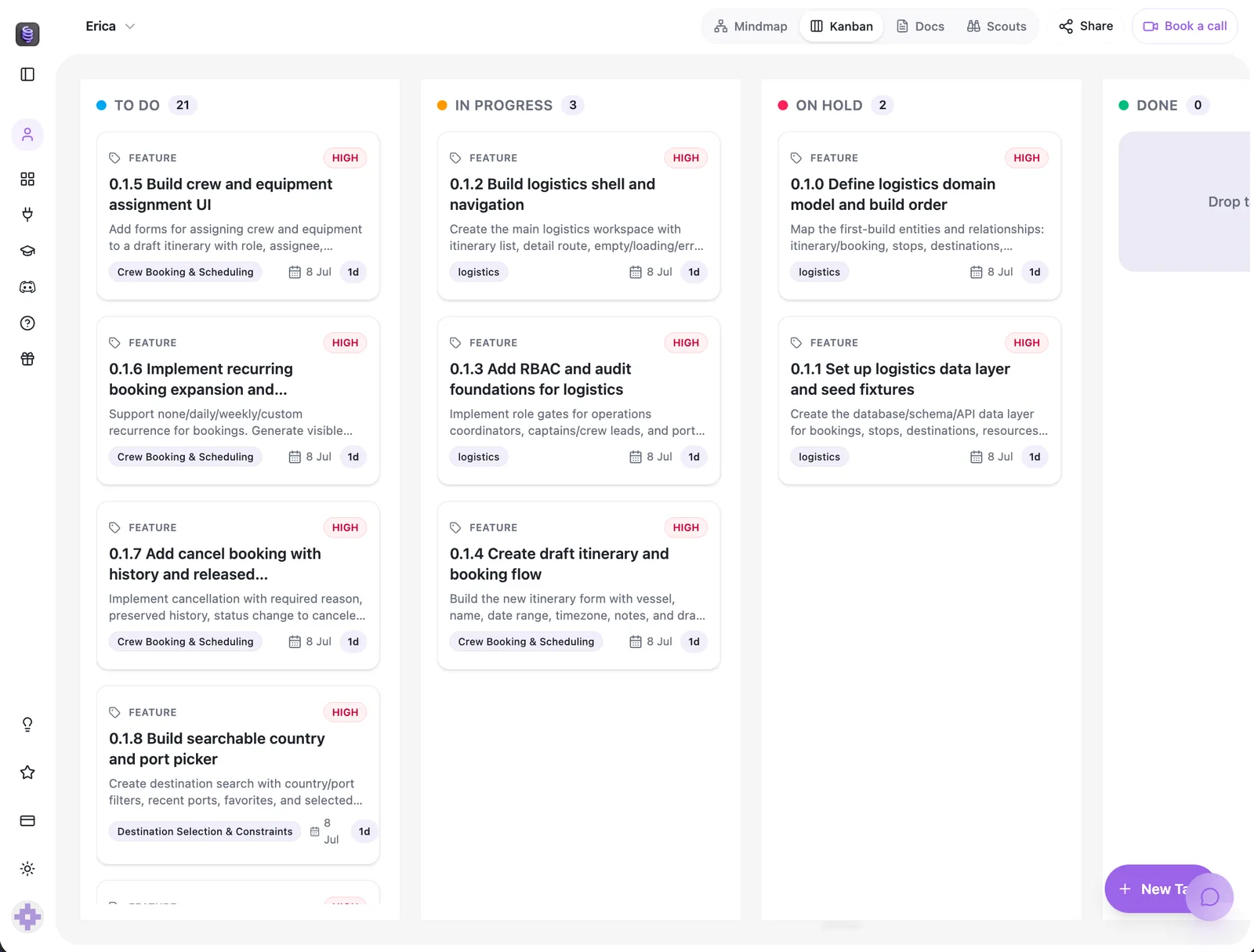
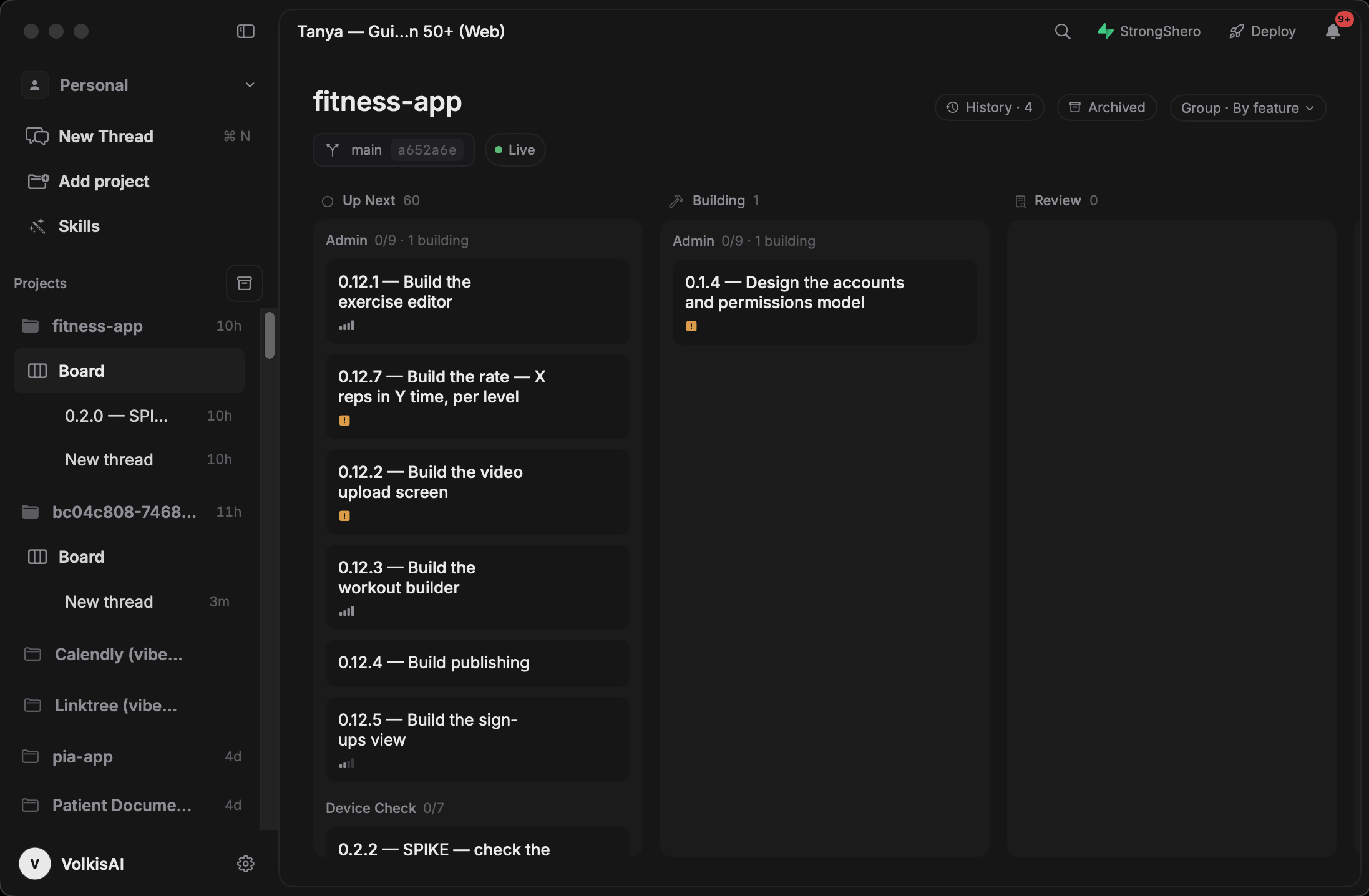
CodeSpring can turn the plan into tasks on a Kanban board. Each task stays linked to its feature, notes and PRD.
The board shows what comes next, what is being built and what needs a review. It also shows work that is on hold or done.
Keep each task small. Small tasks are easier to test. They also make bugs easier to find.
4. Use the coding agent you already know
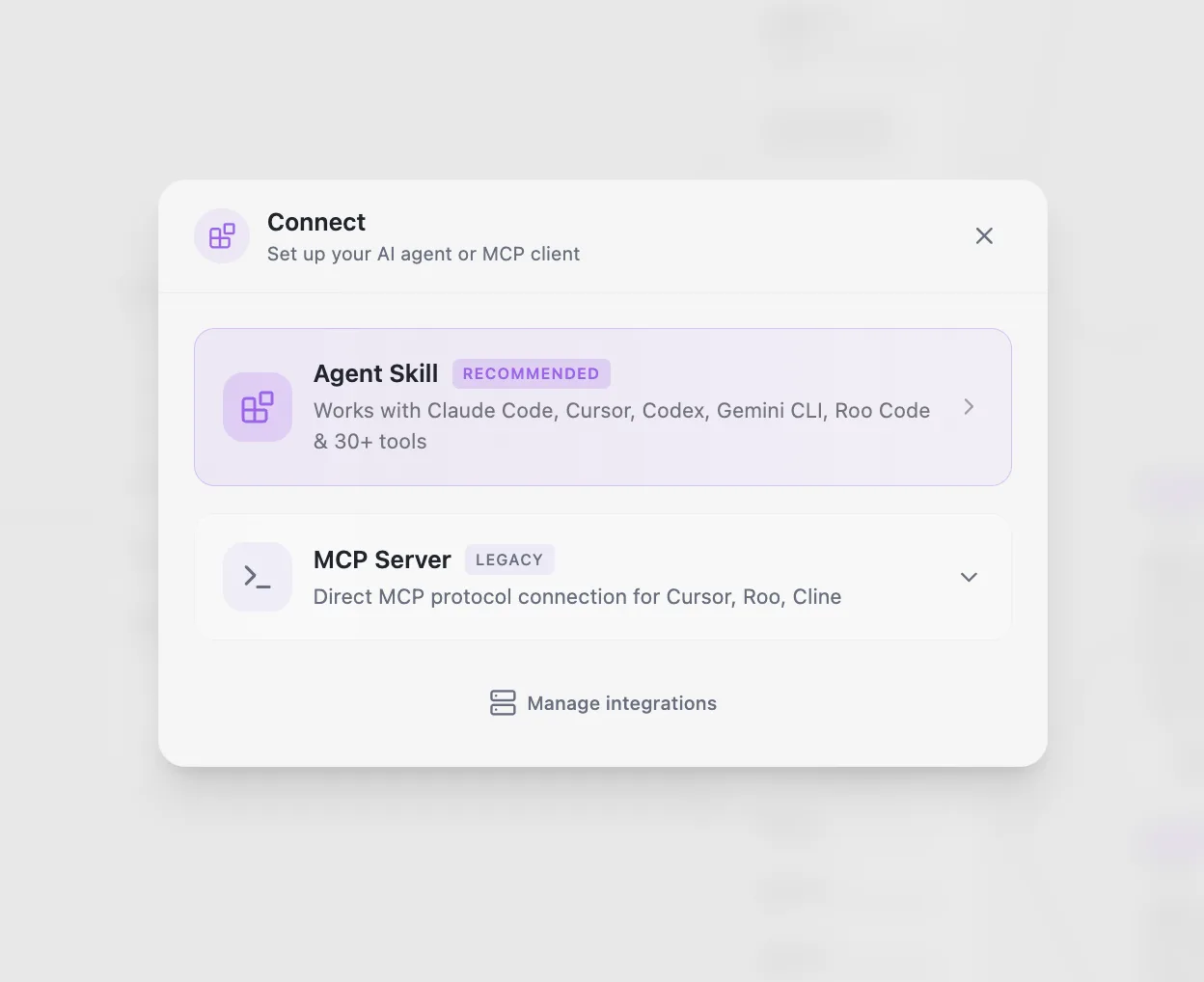
You can keep the coding tool you know. CodeSpring works with Claude Code, Cursor, Codex, Gemini CLI, Roo Code and other tools.
You can also link tools with MCP. MCP is a way for tools to share facts and tasks.
CodeSpring holds the app plan. Your coding tool works on one task at a time.
5. Build with the CodeSpring coding agent
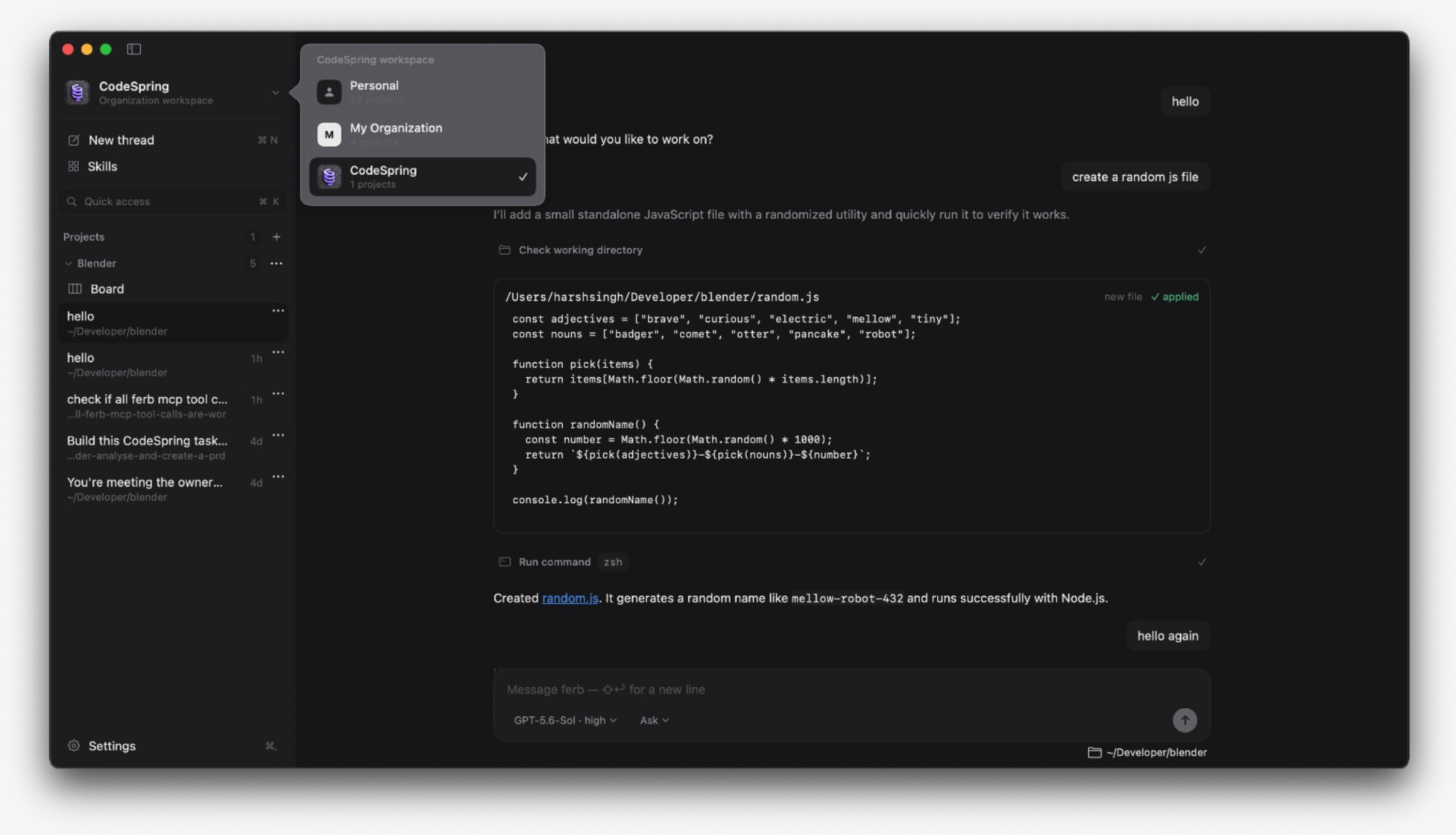
Business and Ultra customers can use the CodeSpring coding agent during early access. It puts the plan, task board and code work in one place.
Each task opens in its own chat. You can see what the agent is doing. You can also see the files and commands it uses.
The agent can use a linked tool such as Codex. It can also use CodeSpring credits and supported models. Give it one clear task, not the whole app at once.
6. Connect Supabase without losing the task context
The CodeSpring coding agent can link to a Supabase project. Supabase can store the data for your app.
You still need to check the database plan, access rules and changes. The link keeps this work next to the task that needs it.
For your first version, save only the data the feature needs. This keeps the back end small.
7. Keep project memory and tasks clear
A long build has many facts. New chats should not need the full story each time. CodeSpring maps the app and code so the agent can find the facts it needs.
The coding agent also uses a separate worktree for each task. A worktree is a safe copy of the code. This helps two tasks avoid changing the same files at once.
You still need to review and test the work. The goal is to keep the plan, task, code and review easy to see.

What CodeSpring controls and what still belongs to you
CodeSpring helps you plan the app and track the work. It does not make every choice for you. It also does not promise that AI code has no bugs.
You choose the problem, the first set of features and what done means. You must check data access, safety, privacy and launch settings.
Small tasks make review easier. Clear rules and tests help you find problems before the app goes live.
A practical workflow for your first AI-built app
Keep the first version small enough to explain on one screen. A small app is easier to plan, build and check.
- Write one line about the user and the problem
- Map the main path through the app
- Add rules and limits to each feature
- Read the PRD before the build starts
- Turn the plan into small Kanban tasks
- Use the CodeSpring coding agent or connect your own
- Check and test each task before you move on